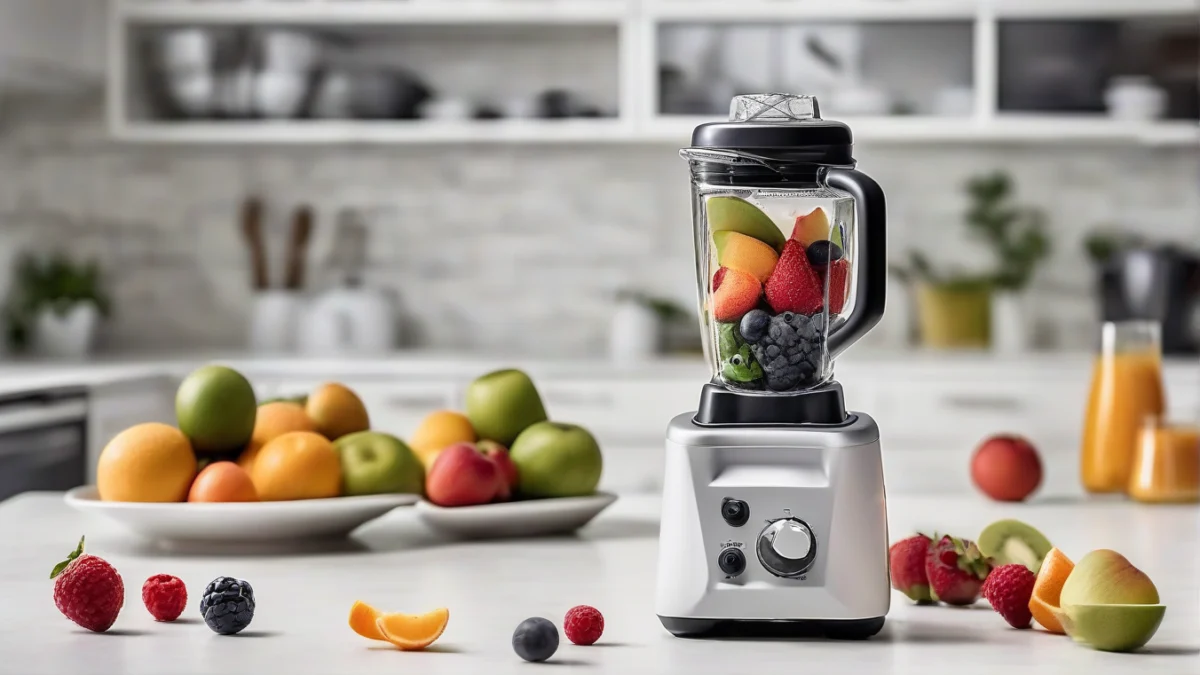
A Ninja blender making noise instantly when turning fruits usually means the blades or motor base are blocked or stuck. Check for jammed blades, overloaded cups, or loose parts first to avoid damage and fix it safely.
Imagine you start your Ninja blender to make a fruit smoothie and it immediately makes a loud noise but doesn’t blend properly. This can happen quickly if the blades get jammed by frozen chunks or if the motor struggles with too much load. Fixing it usually involves simple checks and clearing the blockage before trying again.
Reasons Your Ninja Blender Makes Noise When Blending Fruits
A Ninja blender that makes noise instantly when you start blending fruits usually signals a blade assembly jam or motor overload. Fruit chunks can block the blades or the blending cup may be overfilled, causing the motor to strain and produce a loud noise.
To check for a jam, first unplug the blender and remove the blending cup. Look inside for any large pieces of fruit or frozen chunks stuck around the blades that could prevent rotation. Overfilling the cup beyond the max fill line also stresses the motor and can trigger noise and a stall.
Before inspecting, confirm these
Unplug the blender to avoid accidental starts
Remove the cup and lid for visual inspection
Check the cup fill level against the max line
Ensure the lid and cup are locked securely in place
If the blades feel stuck, try loosening any jammed pieces by moving them gently with a utensil before attempting to run the blender again. An improperly locked lid or cup can cause misalignment and noise, so verify both fit tightly and click into place. Resetting the blender by unplugging it briefly can also help clear motor overload errors.
1
Step 1
Unplug the blender and remove the blending cup and lid.
2
Step 2
Inspect the blades and cup for jammed fruit or overfilling.
3
Step 3
Clear any visible blockages carefully, avoiding blade contact.
4
Step 4
Check that the lid and cup are locked firmly back in place.
5
Step 5
Plug the blender in and try blending again with smaller amounts.
Prevent jams
Cut fruits into smaller pieces and avoid filling beyond the maximum fill line to reduce the chance of blade jams and motor strain.
Myth
My Ninja blender makes noise because the motor is broken.
Fact
Often, instant noise means the blades are blocked or the cup is overloaded, not a motor failure. Clearing jams and reducing load usually fixes it.
Worked example
Say you fill the cup with whole frozen strawberries up to the max line and start the blender. It immediately makes a grinding noise and stops. After unplugging, you find a large berry stuck around the blades. Removing it and blending smaller portions solves the issue.
Drinks1 batch of frozen berry smoothie
IssueBlade jam from large fruit pieces
Parts and Tools You Might Need
Common replacement parts and tools for Ninja blender repairs
Powerful blending
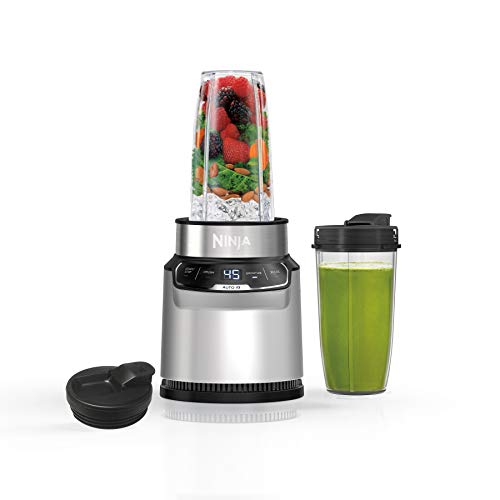
Ninja Nutri-Blender Pro BN401
This blender’s 1100-peak-watt motor and Pro Extractor Blades handle tough ingredients and help prevent jams by breaking down whole fruits and veggies effectively. It suits those needing reliable power to avoid blade stalls and noise issues.
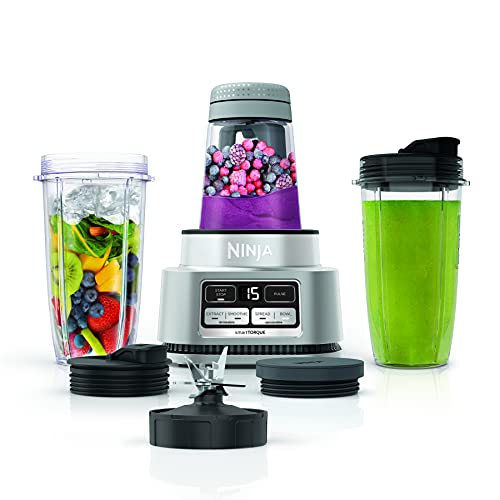
Its 1200-peak-watt motor with smartTORQUE technology powers through heavy loads without stalling, reducing noise from blade jams. The built-in tamper and versatile cups help avoid overloading and improve blending control.
Blade jams are a common cause of noise in Ninja blenders and often happen when frozen fruit chunks or hard pieces get caught. Fixing this noise starts by safely removing the cup and blade assembly for inspection.
Inspect the blade assembly for jams caused by frozen fruit chunks.
Safety first
Always unplug your blender before handling blades or removing the assembly to avoid injury or accidental starts.
1
Step 1
Unplug the blender and remove the cup from the motor base by twisting it counterclockwise (or as per your model’s instructions).
2
Step 2
Unscrew the blade assembly from the bottom of the cup carefully, holding the cup firmly.
3
Step 3
Inspect the blades visually for frozen fruit, seeds, or debris blocking movement.
4
Step 4
Use a soft brush or cloth to clean around the blades and remove any stuck pieces.
5
Step 5
If blades are bent, chipped, or do not spin freely after cleaning, consider replacing the blade assembly for safe operation.
Blade check essentials
Blade edges should be sharp and intact
No large chunks or debris wedged between blades
Blade assembly screws tight and leak-free
Blades rotate smoothly by hand
If cleaning doesn’t solve the noise and the blades appear damaged, replace the blades with an original Ninja part. Damaged blades can cause motor strain and increase noise levels, risking further damage.
Keep blades sharp
Regularly clean and dry blades after use to prevent buildup and prolong blade sharpness.
Perfect for cleaning and inspecting blad
Ninja Nutri-Blender Pro with Auto iQ
The Ninja Nutri-Blender Pro’s easy-to-remove blade assembly design lets you safely check and clean blades, reducing noise from jams quickly.
If your Ninja blender makes a loud motor noise or stops working when you start blending, the motor base or electrical connections may be the problem. Early checks can prevent damage and keep your blender safe.
1
Unplug and Cool Down
Always unplug your blender before inspecting. If the motor feels hot or smells like burning, let it cool down for at least 30 minutes before trying again.
2
Examine the Motor Base
Look for signs of wear, cracks, or debris around the motor base. Excessive dust or food particles can cause overheating and noise.
3
Check the Power Cord and Plug
Inspect the cord and plug for any cuts, frays, or bent prongs. Damaged cords may cause intermittent power and motor failure.
4
Reset the Blender
Some Ninja models have a reset button on the motor base. After cooling, press it to restore normal function. If your model lacks a reset button, unplugging and waiting usually resets the motor.
Motor Base Inspection Checklist
Unplug blender before handling
Feel for excessive heat or burning smell
Look for visible cracks or damage
Check power cord and plug for damage
Press reset button if available
Motor Overheating Risk
Do not run the blender continuously for more than 1 minute without breaks. Overheating can cause permanent motor damage and void the warranty.
If your blender’s motor still doesn’t work or the noise persists after these checks, it could indicate an internal electrical fault or worn motor brushes. Contact Ninja customer service or use your warranty for professional repair or replacement rather than attempting to open the motor base yourself.
From JuicerAdvices · our own guideChoosing or using a juicer? Page 3 compares the types; page 15 fixes the common problems.Home Juicing Starter KitMake fresh juice that tastes good, costs less and keeps safely: 40 recipes with exact amounts, a yield chart and a 4-week plan.40 juice, smoothie and shot recipesYield, storage and food-safety chartsCost, yield and shopping-list calculator (Excel)$14.99$9.99Get it for $9.99See what's inside and watch the 2-minute video →18-page printable PDF + Excel calculator · instant download · 30-day refund
Avoid Overloading and Use the Correct Blending Technique
A Ninja blender often makes noise when blending frozen fruit because the motor is struggling against too much resistance. Overloading or incorrect technique can strain the motor and cause loud noise or blade stalls.
Avoid overloading the blender cup to prevent motor strain and noise.
Recommended Fill Levels
Fill the blending cup no more than 3/4 full and cut large fruits into smaller pieces about 1-inch or less. This reduces resistance and helps blades move freely.
Use the pulse setting to start blending frozen or hard ingredients. This bursts power in controlled intervals, preventing motor overload. The Auto-iQ programs mix speed and timing but avoid running them continuously on tough loads without breaks.
Proper Blending Tips
Use pulse mode for frozen fruit chunks
Cut ingredients into smaller pieces
Do not fill above 3/4 full
Blend in short bursts with rests
Process large batches in smaller portions
Blending in smaller batches lowers the motor’s workload and noise. Say you’re making a smoothie with 2 cups of frozen berries — divide it into two 1-cup blends instead of one full cup. This helps keep your Ninja quieter and preserves its motor life.
If your Ninja blender makes loud noise or stalls, stop immediately and check if the cup is overloaded or the blades are jammed. Overworking the motor can cause permanent damage and void your warranty.
When to Repair, Replace Parts, or Contact Ninja Support
Ninja blender warranty repair is your first stop if your blender stops working within the warranty period or shows electrical or motor issues you can’t fix yourself. The warranty typically covers defects in materials and workmanship but not damage from misuse or wear and tear.
Replacing Ninja blender parts like blades or cups can be a cost-effective way to extend your blender’s life when those parts wear out or get damaged. Official Ninja replacement parts ensure compatibility and safety, and you can find them on Ninja’s website or authorized retailers.
1
Check your blender’s warranty status
Locate your purchase receipt and check the warranty duration provided by Ninja.
2
Identify the problem part
Determine if the issue is with blades, cups, seals, or the motor base.
3
Order official replacement parts
Use Ninja’s official parts page to avoid counterfeit or incompatible pieces.
4
Decide if repair or replacement is best
If the motor base is faulty and out of warranty, replacing the whole blender may be more economical than repairs.
Consider replacing the entire Ninja blender if the motor base fails outside warranty or if repairs would cost close to the price of a new model. Frequent breakdowns or obsolete models also justify getting a new blender to ensure reliability and safety.
Good for replacing parts
The problem is limited to blades, seals, or cups
Parts are available from official sources
The motor base and electronics work well
Better to replace the whole blender if
Motor base is damaged or noisy beyond repair
Warranty has expired with major faults
Repair costs approach or exceed a new blender’s price
If you’re unsure about your blender’s condition or which parts to order, contacting Ninja support can clarify warranty coverage and guide you on whether repair or replacement suits your situation best. They can also direct you to authorized service centers or parts dealers.
Replacing parts yourself is safe if you follow instructions carefully and unplug the blender before starting. Avoid using non-official parts, as they may not fit well or could damage the motor.
A new Ninja blender might be a good investment if you blend frequently, especially with hard or frozen ingredients. Newer models often have improved motor power and noise reduction features, which can prevent the issues that cause noise and jams.
Common Causes of Noise in Your Ninja Blender When Blending Fruits
A Ninja blender often turns fruits into noise instantly because the blade assembly is jammed or the motor is overloaded. This happens when frozen fruit chunks or hard pieces get stuck between the blades or when the motor struggles to start blending heavy or dense fruit loads.
The noise you hear is usually a sign that the blender is working harder than it should or that something is preventing the blades from spinning freely. Starting the blender with too much frozen fruit or large pieces can cause this immediate noise.
To fix this, check the blade assembly for jams or damage and make sure you are not overloading the pitcher. Using a proper blending technique, like adding some liquid first and starting on a low speed, can help prevent this noise and protect the motor.
More Questions, Answered
Why does my Ninja blender make a loud noise as soon as I start blending fruits?
A loud noise right at startup usually means the blades are stuck or the motor is straining against a jam. Frozen or large fruit pieces can block the blade assembly, causing the motor to work harder and make noise. Checking for these blockages before blending helps prevent damage.
How do I safely clean and unblock the blade assembly on my Ninja blender?
Always unplug the blender before cleaning or unblocking the blades. Remove the pitcher from the base, carefully detach the blade assembly, and rinse under warm water to clear stuck fruit or debris. Use a brush to loosen any stubborn bits, but avoid touching the blades directly to prevent injury.
Can a motor overload cause my Ninja blender to stop working or make noise?
Yes, motor overload can cause the blender to emit loud noises or shut off to protect itself. Overloading with too much frozen fruit or thick mixtures increases resistance, stressing the motor. Letting the blender rest and reducing the load can help it recover and avoid permanent damage.
What is the best way to prevent my Ninja blender from jamming on frozen fruit?
Cut frozen fruit into smaller pieces and add liquid before blending to reduce strain. Use the pulse function to start blending gently, then increase speed gradually. Avoid overfilling the pitcher to maintain smooth blade movement and prevent jams.
When should I contact Ninja customer support for repairs or replacement parts?
Reach out to Ninja support if your blender remains noisy or nonfunctional after checking for jams and overloads, especially within the warranty period. Electrical issues, persistent motor problems, or damaged parts you cannot fix safely are good reasons to get professional help.
Before you go · a welcome giftGet the Home Juicing Starter Kit for $4.99Make fresh juice that tastes good, costs less and keeps safely: 40 recipes with exact amounts, a yield chart and a 4-week plan. Normally $14.99; your welcome price saves $10.00. We'll email your link right now.or skip the email and buy it now for $4.99 →One email with your link now. We never share your address.
 Home Juicing Starter KitMake fresh juice that tastes good, costs less and keeps safely: 40 recipes with exact amounts, a yield chart and a 4-week plan.40 juice, smoothie and shot recipesYield, storage and food-safety chartsCost, yield and shopping-list calculator (Excel)